Michigan court-service guide | November 17, 2026
Michigan Ticket Lookup by License Plate: PayTix, Courts and Missing Records
Start with the handling court, match the citation, then choose the correct response.
A plate search starts with the participating court
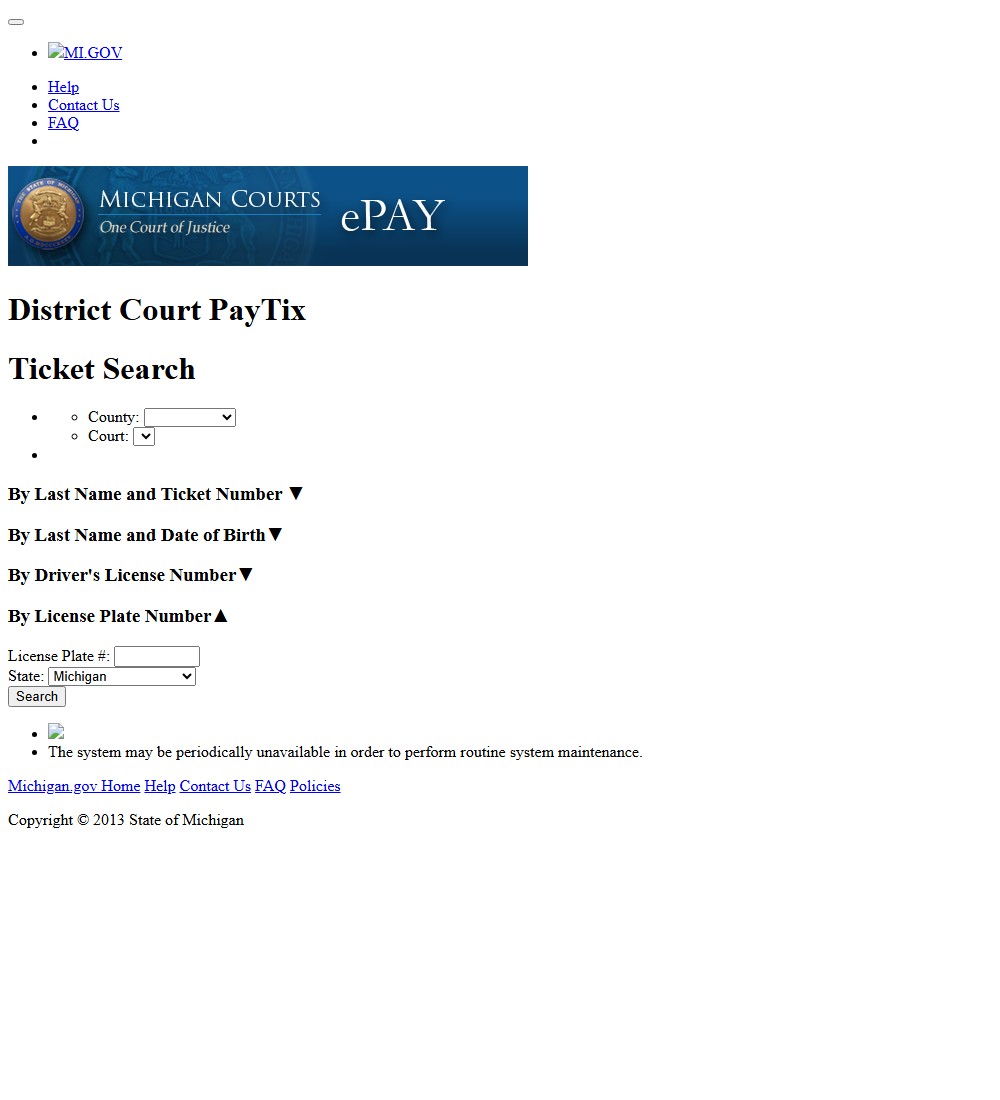
Michigan's public District Court PayTix interface includes a license-plate search, but it is a search within a selected court's service. It should not be described as a guarantee that one plate entry reveals every unpaid Michigan citation. Start with the court named on the ticket, then use that court's official instructions to determine whether PayTix or another service handles its payable records. A state's name on a website does not eliminate local court coverage limits.
The distinction is useful when a search engine offers several almost identical forms. An indexed form may already be set to a particular court, while another page allows a county and court to be chosen. Opening the first result and entering a plate can therefore search the wrong records without producing an obvious error. The correct starting page is the one linked by the handling court or the public PayTix court-selection form.
Choose the county and court before entering the vehicle
Read the court name printed on the citation and match it to the menu. Do not choose your home county simply because that is where the vehicle is registered. The location of the alleged event and the court assignment are what matter. If the ticket has been lost, first identify the issuing agency and likely court using an official court directory or the agency's contact information; guessing several counties can produce confusing partial results.
Keep the selected court visible in your notes along with the ticket number you eventually find. That makes a later phone call more productive: “I searched this court for this event and identifier” gives the clerk something specific to investigate. Our ticket website finder can help with agency discovery, but the handling court's own link and case record determine the available transaction. A payment service and a public case-search service may be different destinations even within the same court.
Use PayTix identifiers to find the right citation
The public PayTix form offers several identifier groups. Choose the group that matches the information you actually have instead of filling every field with guesses. A plate search can help recover a vehicle-linked record, while a ticket-number search can identify a particular citation more precisely. The existence of several methods is useful, but none removes the need to compare the returned record with the allegation you intend to address.
Enter the registration state with the plate
Use the plate characters and the issuing registration state together. The state beside the plate field describes the plate, not automatically the state where the case occurred or where the driver lives. For example, a vehicle registered outside Michigan can still be connected to a Michigan court record. Selecting Michigan merely because the website is a Michigan service can create a failed or incorrect search.
After searching, match the ticket number, issue date, charge and other available vehicle information. Do not select every record just because a plate appears familiar. A household may use several vehicles, and one vehicle may be involved in more than one allegation. Record the specific citation number before proceeding. If the available details do not identify the event reliably, ask the court for help rather than making a payment to find out afterward whether it was the right case.
Switch to a driver or ticket search when appropriate
The official search interface also displays driver's-license/state, last-name/ticket-number and last-name/date-of-birth methods. Use the spelling and identifiers on the document. A driver's-license search concerns a person; a registration-plate search concerns a vehicle. They can be useful alternatives without being interchangeable descriptions of liability.
If the citation number is available, keep any letters or prefixes that form part of it and read the field instructions. If it is not, use a supported alternate method or contact the handling court. Protect the full license number and date of birth when requesting general help online. A public discussion board does not need those details, and an unfamiliar payment intermediary should not receive them merely because it promises a broader search than the court offers. Our ticket-lookup guide explains that portal requirements differ by issuer and ticket type.
Investigate a missing result before assuming the ticket vanished
No result is a reason to investigate the search, not a court decision. The public PayTix pages warn that maintenance can interrupt availability and direct users to contact the court when a ticket is not listed. Keep the citation's response date in view while troubleshooting. A technical problem does not tell you whether the ticket was filed, whether it is payable through that service or whether a hearing is required.
| Check | Useful next step |
|---|---|
| Wrong court selected | Match the court name on the original citation. |
| Plate/state or name differs | Compare the registration or ticket rather than guessing. |
| Recently issued citation | Ask the court whether filing or entry is still pending. |
| Record exists but cannot be paid online | Ask which action or service applies to that status. |
| Maintenance or repeated error | Save the time/error and use the court's contact route. |
These are possible explanations, not diagnoses of your case. A new citation may take processing time, but there is no single posting interval that this guide can apply to every Michigan court. A local court's published waiting period for one online application should not be repeated as a statewide rule. If the response date is near, ask the clerk how to make the required response while the electronic record is being located.
Make the inquiry specific: identify the issuing agency, event date, court and citation number, then explain which official search failed. Preserve any written reply or reference number. Do not pay an unrelated result to demonstrate that you tried, and do not submit the same card transaction repeatedly when the confirmation is uncertain. Once the court locates the record, ask whether it contains an upcoming date or an action separate from payment. Our ticket directory helps separate issuer routes, but it cannot determine that an absent result has been dismissed.
MiCOURT case search and a payment search answer different questions
People searching for a Michigan ticket often encounter MiCOURT or Michigan Online Court Case Search as well as PayTix. The tasks are different. A public case search helps identify a case and its displayed court information. A payable-ticket service offers transactions for the records and statuses it supports. Finding a case in one does not prove that a particular payment form in the other can process it, and not finding it in one does not settle whether the court has the underlying record.
Follow the current Michigan Online Court Case Search instructions rather than an old screenshot of a different interface. Read the selected court and the service's public-access notices. Match any case number against the citation and contact the court if the charge or identity does not agree. The useful result is an identified court record, not merely a page displaying a similar name.
Read court coverage and access limits
The current case-search portal explains that not all information is displayed and directs users to the court of record when public information they seek is unavailable. Restrictions can concern the type or status of a case as well as the service's coverage. An empty public search is therefore not a complete certificate of a person's history. It is also not a reason to bypass access controls or buy an unofficial report advertised as equivalent to the court record.
For a practical ticket problem, keep the questions narrow. Ask which court has the citation, whether it has been entered, what action is currently due and which official payment or hearing route applies. Save the case number once it is confirmed and use it consistently in later communication. If the purpose is a court-certified record rather than payment, ask about the court's record-request procedure. A receipt, a public docket screen and a certified record serve different needs; collecting one does not automatically produce the others.
Decide whether you are paying or requesting a hearing
Locating the citation is an information task. Responding to it is a procedural choice. For a civil infraction, the available instructions can distinguish admitting responsibility, admitting with an explanation and denying responsibility to request a hearing. Read the ticket and the handling court's guidance before clicking a payment action. A public search result cannot decide whether the allegation is correct or which response you intend to make.
Check whether the charge is actually a civil infraction. A misdemeanor or another mandatory-appearance matter should not be handled by assuming that a general payable-ticket page offers every necessary response. If several charges appear, ask whether all can be processed together and whether one requires a separate appearance. The court's current instructions and case status control; a payment button beside one item does not explain every other charge.
An explanation and a denial are different responses
An explanation accepts responsibility while asking the court to consider circumstances. The Michigan Supreme Court's civil-infraction guide explains that fines and costs may be reduced in that situation, but points remain the same. A denial challenges responsibility and requires the appropriate hearing process. Do not assume that writing “please reconsider” in a general contact form has filed a hearing request. Use the designated request route and save the acknowledgment or scheduled date.
Prepare the relevant evidence before the hearing. A claimed plate error calls for records connecting the correct vehicle to the document; a dispute about what happened calls for evidence about that event. If you simply need more time or a payment arrangement, state that separately rather than presenting it as proof the charge is wrong. No response should be assumed approved until the court confirms it. The same care applies to an online offer of a reduced charge: an application, an offered resolution and acceptance are different stages.
Use the handling court's official services to find the current local procedure. If your court is not Detroit, follow that court's instructions rather than Detroit's example below. Our state camera-law directory is background information, not a substitute for a court response to an officer-issued traffic citation.
Detroit's online resolution is a separate application
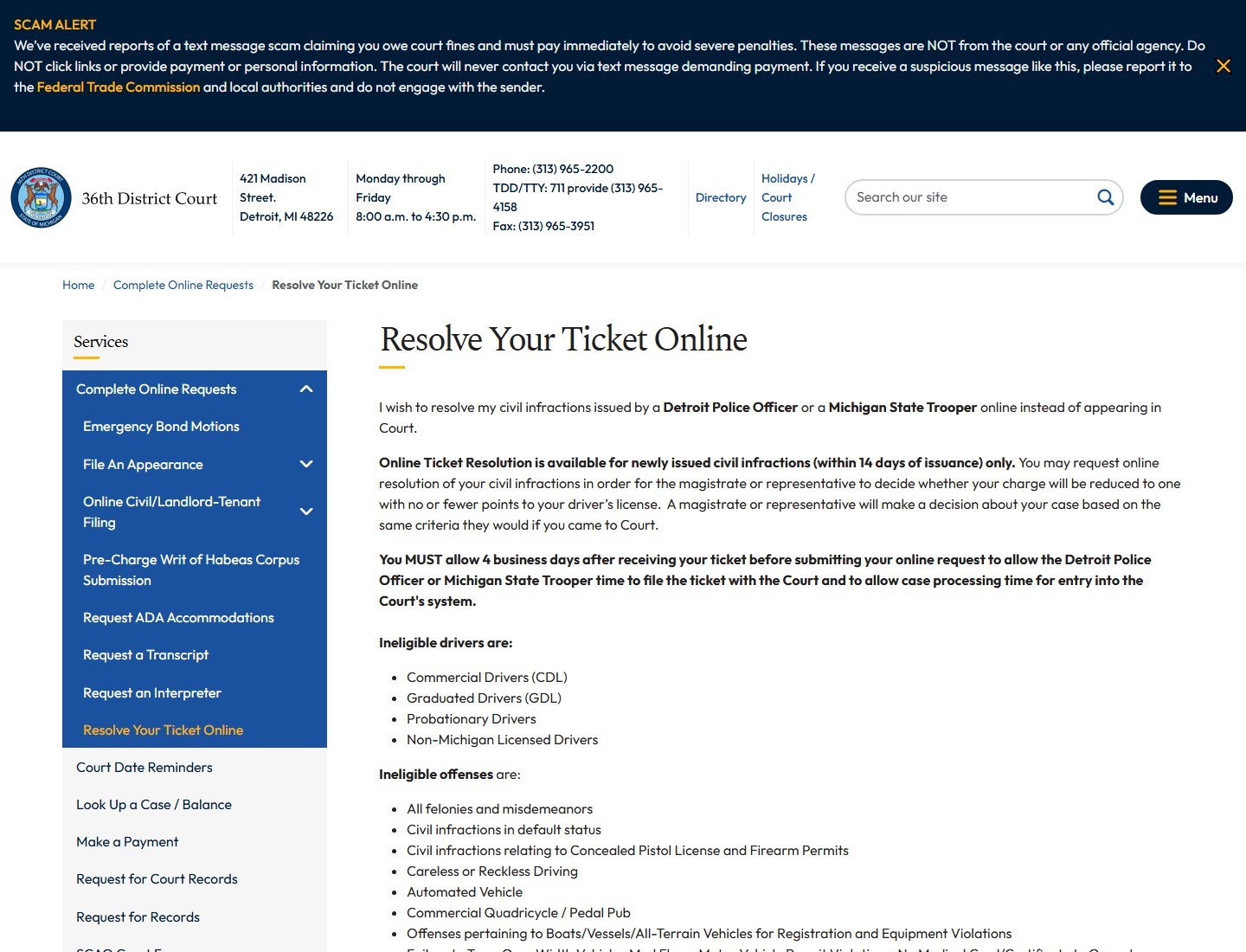
Detroit's 36th District Court provides a useful example of a service that can appear beside PayTix in search results while doing a different job. Its Resolve Your Ticket Online page concerns an application for local resolution of eligible civil infractions. A magistrate or court representative considers whether to offer a different charge. That is not an automatic discount produced by searching a plate, and it is not a Michigan-wide program available through every district court.
Observe the local processing and application windows
The explanatory page describes newly issued civil infractions within 14 days and tells applicants to allow four business days after receipt before submitting. Those are published requirements for this local application, not a statewide waiting rule for every ticket search. A citation, a filed application, an offered resolution and acceptance each have a different role. Keep any offered response or payment deadline with the actual offer instead of assuming the original application completed the case.
If timing is tight or the ticket has not appeared, contact the court before relying on an eligibility assumption. A processing wait and an application window should be read together, and neither should be interpreted as permission to disregard the citation's own instructions. Save the court's answer and the submission acknowledgment if you proceed.
Check driver and offense eligibility before applying
The court's explanation lists restrictions involving license status and offense type. Its linked application form also contains agency and eligibility checkboxes. The two pages use different wording about issuing agencies and speeding thresholds. Do not combine whichever pieces seem most favorable into a promise that you qualify. Ask the court which current instruction applies to your citation before submitting a certification.
This is why a good Michigan ticket search ends with the handling court's actual procedure. A driver may successfully locate a payable record but be ineligible for a particular online-resolution application. Another may need a hearing rather than immediate payment. A reduced-charge application also differs from admitting with an explanation: the state's civil-infraction guide says points remain the same for the latter response. Keep those choices separate and wait for an actual court offer or decision before describing a case as reduced or resolved.
Confirm the transaction and the court's remaining requirements
Save the ticket number, selected court, amount, date and confirmation reference whenever you make a payment. If you requested a hearing or online resolution instead, preserve its acknowledgment and the next deadline. A banking authorization, court receipt and final disposition are different documents. Match each to the particular citation so an uncertain transaction does not become a second payment or a missed appearance.
After the stated processing interval, check the court's record for the intended change. If a balance remains, ask whether the payment is pending, applied to another item or incomplete. If an appearance remains scheduled, obtain court confirmation before assuming payment cancelled it. Keep a copy of an offered resolution and its acceptance when relevant; a general application acknowledgment does not establish that the proposed result became the final disposition.
Driving-record questions belong to another record system. The Michigan Secretary of State driving-record guidance explains that the record combines reports from courts and other agencies. If court-supplied information is wrong, it directs the person to the court for a corrected abstract. Paying a citation does not, by itself, certify that an incorrect charge or disposition has been corrected in every system. Obtain the appropriate court document when a correction is needed.
Finally, protect the identifiers used during the search. The 36th District Court warns about texts demanding immediate payment of supposed court fines. Navigate independently to the official court page rather than following a threatening link. A proper Michigan plate lookup has a court, a matched citation and a documented response. If one of those pieces is missing, resolve that gap with the handling court instead of assuming a broad web search or a successful card charge has finished the matter.



Loading comments...