New Orleans ticket guide | Updated November 17, 2026
New Orleans Ticket Lookup: Camera Notices, Traffic Court and Plate Searches
Find the correct record before you pay: camera notices, parking citations and officer-issued tickets use different routes.
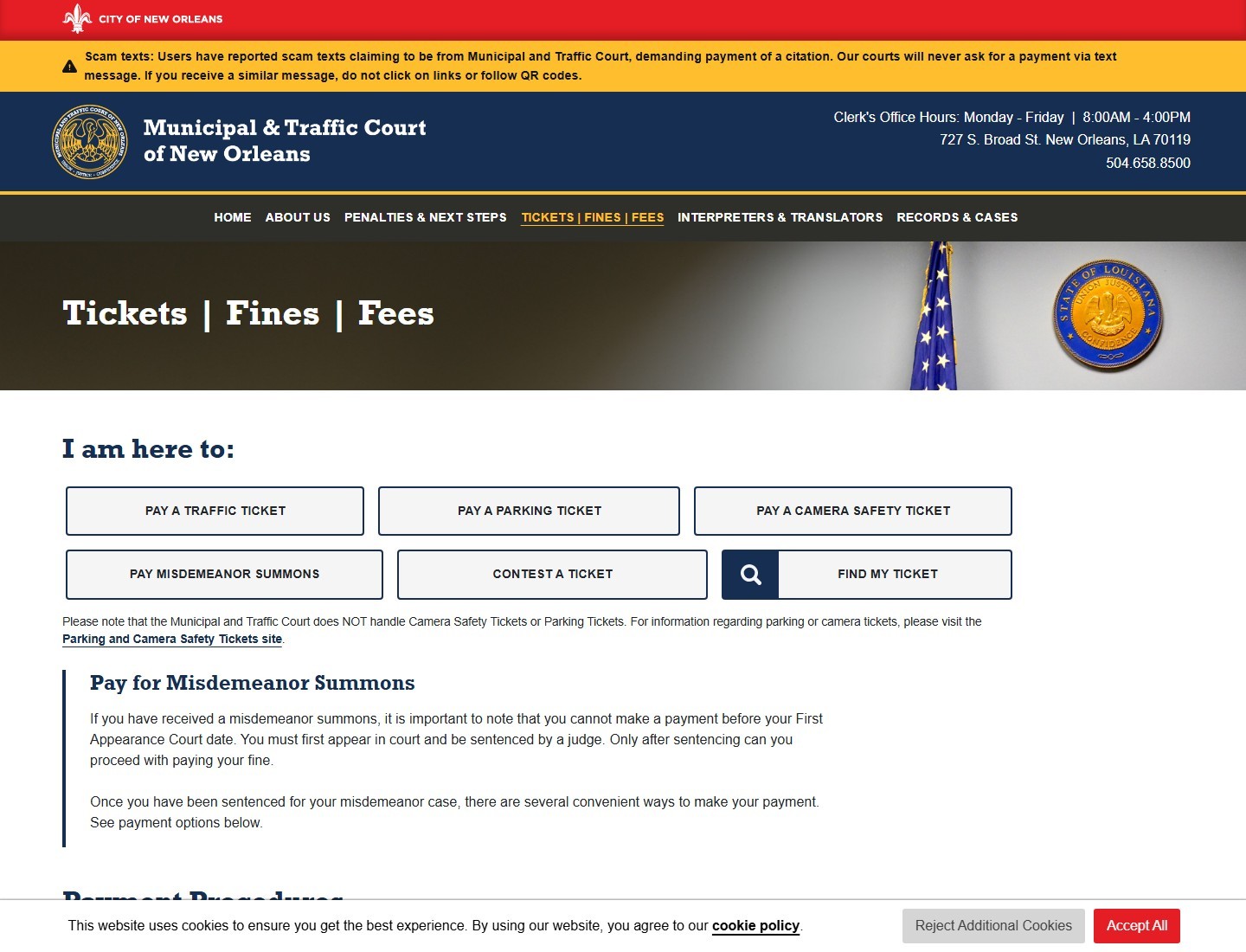
Choose the New Orleans system that matches your ticket
A New Orleans ticket lookup starts with the document, not the license plate. A driver can receive a mailed camera notice, a parking citation or an officer-issued traffic ticket, and those records do not all belong to the same office. The current Municipal and Traffic Court tickets page separates the routes and explicitly says that the court does not handle camera-safety or parking tickets. A search returning no court case therefore does not clear a camera balance.
Place the first page of the notice beside the envelope. Identify the issuing office, allegation, ticket or notice number, date of the event and response instructions. A photograph or website address is useful context, but the label describing the transaction tells you where to begin. Our official ticket website finder can help locate an agency; the agency's actual record determines what is due.
A camera notice belongs to the photo-safety process
A photo-safety notice is normally delivered using the vehicle-registration address. The city's camera-payment instructions ask for a notice number and PIN. Keep those together: a registration plate identifies a vehicle, while the notice credentials identify the particular allegation. The administrative camera route can provide evidence and hearing instructions that will not appear in a police-citation court search. Do not send the same payment to both systems because you are uncertain which one has the record.
An officer-issued traffic citation belongs to the court
For a traffic citation directing you to Municipal and Traffic Court, start with its Find My Ticket route. Pay attention to the charge as well as the amount: the court also handles misdemeanor summons, and its current instructions say those require a first appearance and sentencing before payment. The word “ticket” in a search result does not establish that immediate online payment is available. If the document names another parish or court, use that named court instead of assuming every citation received near New Orleans is an Orleans matter.
Gather the identifiers before opening a payment portal
Prepare a small record of the allegation before you start typing into forms. Write down the vehicle plate exactly as registered, its state, the citation or notice number, the event date, the issuing office and the response deadline. If you have several notices, give each one its own line. Two documents arriving together may concern different dates, different vehicles or separate stages of the same matter. Matching only the amount is an unreliable way to distinguish them.
| Document or task | Prepare first | Important limit |
|---|---|---|
| Camera-safety payment | Notice number and PIN | Do not substitute a parking citation number. |
| Lost parking citation | Ticket number or registration plate | Use the city's parking lookup instructions. |
| Municipal and Traffic Court search | Name or ticket number | The court search covers its own violations. |
Those differences come from separate city instructions. Search Traffic Tickets describes a name-or-ticket-number search, while the lost-parking page specifically directs users to a Plate option. Neither statement establishes that a plate alone retrieves every camera allegation. The correct approach is to use the published requirements for the record you actually need.
Keep the PIN out of public posts and screenshots. If you are helping a family member, ask them to open the official page themselves rather than sending credentials through a public comment thread. For multiple tickets, record the number and status of each before deciding which transaction to make. That short preparation prevents a common mistake: paying the visible record while assuming it resolves another notice that was never opened. Our camera-ticket lookup guide explains why identifier requirements change between agencies.
Find a New Orleans camera ticket and inspect the evidence
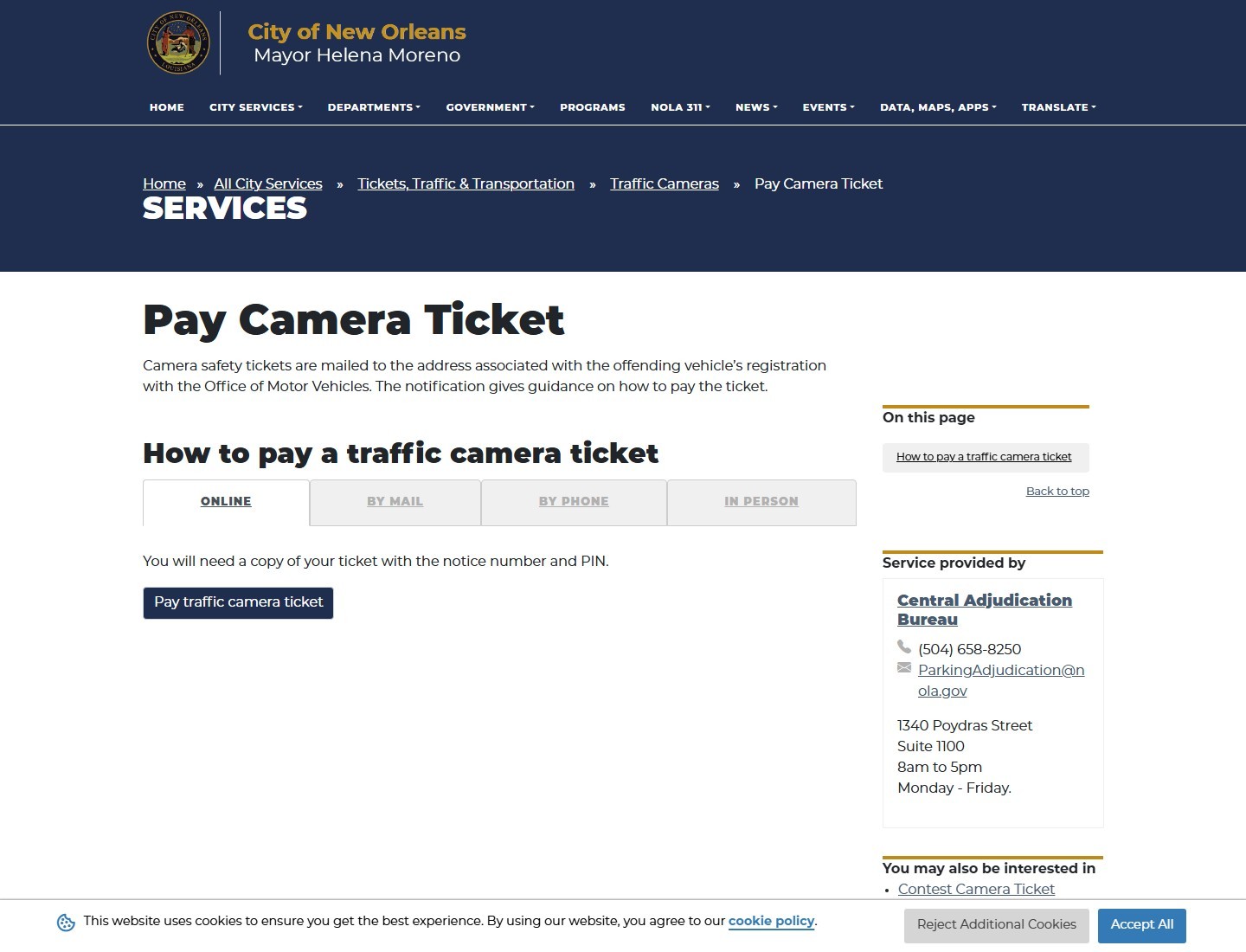
Open the city's Pay Camera Ticket page and follow its camera-payment link. Starting at the city page is particularly useful when a search engine shows several vendors or an old bookmarked address. A legitimate city service can use an outside payment provider, so a non-government domain alone does not settle authenticity. The important connection is the link from the responsible city's current page to the service you are using.
Review the event before making a transaction. Match the displayed vehicle and plate to the notice, then compare the location, event date, recorded allegation and available images. A picture of your vehicle does not answer every factual question: the relevant movement, signal sequence or recorded speed still matters. Write down any specific mismatch rather than simply saying the ticket “looks wrong.” A wrong registration state and an argument about the signal are different questions requiring different records.
Use the notice number and PIN
The New Orleans program information page describes viewing photographs and video using the notice number and PIN shown on the mailed document. On the public ViolationInfo interface, viewing information and making a payment are separate choices. Choose the viewing route when your immediate purpose is to understand the allegation. Do not treat opening an evidence page as equivalent to requesting a hearing, and do not assume saving a video extends the response deadline.
Save only what you need for your own record: the notice, relevant evidence, current balance and the instructions you intend to follow. A vendor's general help page explains navigation; it does not establish the balance, deadline or current fee for your particular allegation. If video will not load, note the browser, time and error and contact the program before your deadline. Try another supported browser if appropriate, but avoid repeatedly entering financial information on a page that is malfunctioning. Our guide to camera-ticket video explains how to keep evidence review separate from payment and a formal dispute.
Look up an officer-issued ticket through Municipal and Traffic Court
Use the current court website as your starting point for an officer-issued Municipal and Traffic Court citation. Its ticket page links directly to traffic.nola.gov for the record and payment functions. The city also publishes a traffic-ticket search page describing searches by name or ticket number. That option is valuable when a citation has been misplaced, but the city limits the description to violations handled by this court.
Find the case before choosing a payment
Compare the result with your own identifying information and the citation's event date and charge. A name match alone can be misleading, especially for common names or abbreviated entries. Open the relevant record and confirm the ticket number before selecting a transaction. If the ticket was issued by a Louisiana State Trooper, retain the issuing-agency wording and any letter prefix: the city's moving-ticket instructions describe an “S” prefix for certain State Police citations. Ask the clerk about a mismatch rather than trying random combinations until a balance appears.
Record the current case status, next date and displayed balance. If the portal offers different actions, read the wording of the chosen action before continuing. Paying an existing amount, entering a plea, requesting a trial and following a previously approved schedule are not interchangeable tasks. A successful card transaction in one case should be matched to that case, not used as evidence that every court obligation under the same name has been resolved.
Keep the first appearance date separate from the payment date
The city's contest instructions tell a motorist or licensed attorney to request a traffic trial date in person before the First Appearance Date. The current court site separately explains that misdemeanor summons cannot be paid before first appearance and sentencing. These are reasons to read the actual document before assuming “pay online” means “no need to attend.”
Check current court logistics before travelling. The current court tickets page lists 727 S. Broad Street and the clerk's number, 504-658-8500; some older city pages still show a different address. If an old notice and the current website disagree, ask the clerk which location or procedure applies to your scheduled matter. Use our New Orleans ticket entry to return to the city's official routes, then verify the case-specific instruction with the court.
Search for a parking ticket without mixing up the camera record
For a lost parking citation, New Orleans gives a particularly direct answer to the plate-search question. The Find Lost Parking Ticket page says the ticket can be tracked using its citation number or the vehicle's registration plate and tells users to choose the Plate option. Follow that route from the city page rather than assuming a camera-login form will accept the same search. A plate-search feature in the parking system does not make it a universal traffic-court database.
After finding a record, compare the date, location and violation description. Suppose the vehicle received a parking citation on a Friday and a camera notice for the following Monday. The plate is identical, but the allegations and response procedures differ. Paying Friday's parking record does not establish payment of Monday's camera notice. Write down each citation's number and use a separate receipt line, even if both appear to involve the same city department.
If the purpose is to dispute parking rather than pay it, use the city's parking contest instructions. Those instructions identify the citation number and plate or VIN as relevant information and describe evidence submission. Reading a parking balance online is only an information step; a dispute needs the correct submission route and timing. Preserve photographs or other records while you decide, but avoid treating a general customer-service message as a filed hearing request unless the responsible office confirms that status.
The distinction also matters when a website returns an error. Restart from the official parking page, record the error and ask the parking administrator for help if the deadline is close. Switching to a court website because it loads faster may produce a perfectly valid search of the wrong records. For the wider agency-selection problem, use the ticket lookup directory before entering personal details.
Resolve a missing ticket, an old address or a rental-car notice
A lost camera notice has a specific recovery route. The city's Find Lost Camera Ticket page directs users to program assistance at 504-658-8082. Have the vehicle's registration details and the likely event date ready, then ask what identifying information the representative needs. Do not invent a PIN or substitute a number from an unrelated payment receipt. Request the actual notice details and the current response instructions.
If the address on the notice is old, separate correcting the registration record from communicating about this allegation. The city says camera notices use the registration address, but a later address correction does not by itself confirm that the program or court has updated an existing case. Ask which office should receive your current mailing address and how it will confirm a scheduled hearing or replacement notice. Keep a dated record of that contact.
For a rental car, first distinguish a government fine from the rental company's administration charge. Ask the company for the underlying citation or notice number, issuing agency, event date and any payment or transfer record. If the company says it already paid, ask for the transaction reference before making another payment yourself. This is a way to reconcile two records, not a promise that every rental agreement offers the same dispute or transfer procedure.
When no record appears
Check the system, spelling, registration state, ticket number and event date before assuming the notice disappeared. The city's parking-payment page describes a 24-hour delay before parking information is available online; it does not establish the posting time for every camera or court ticket. A missing result near your response date calls for contact with the named administrator or clerk, not an indefinite wait. Record the error, the time and the action you were trying to take, and ask how to preserve the correct response while the record is being located.
Pay or request the correct hearing and keep proof
Once the record is matched, make one deliberate choice using that ticket's current instructions. For payment, confirm the notice or case number, total and any channel-specific charge before submitting. The city's camera instructions name the City of New Orleans as the payee for mailed checks or money orders and require the notice number. Use the address and coupon supplied for the relevant transaction; do not borrow a traffic-court mailing address for a photo-safety payment.
Save the confirmation immediately. A useful receipt connects the amount, transaction date, confirmation number and particular ticket. If a banking app shows a charge but the city portal still displays an unpaid balance, retain both records and contact the processor or administrator before paying again. Ask whether the first transaction is pending, rejected or posted to another record. A screenshot of a card authorization alone does not explain the city's account status.
Camera hearings and traffic trials follow different instructions
The city's camera-contest page describes requesting a scheduled administrative hearing using the signed notice coupon and its barcode. A traffic trial request follows the court process instead. The Central Adjudication Bureau FAQ directs parking/photo-safety evidence questions to its dedicated contact and says the Notice of Hearing supplies submission instructions. Read that notice before choosing a delivery method.
Keep your explanation tied to verifiable facts: the recorded vehicle, event, ownership documents or another relevant issue. Organize supporting files so each explains a specific point. For example, a sale document should establish why the ownership record matters on the event date; an unrelated photograph of the intersection does not do that job. A hearing request, its acknowledgment and the final decision are separate records. Save all three when they exist, and read the decision for any next deadline rather than assuming the original request permanently pauses the matter.
Finish with a reliable ticket and payment record
Finish the task by checking the record you meant to change. Save the payment receipt or hearing-request acknowledgment, then compare its ticket number with your original document. Record the status shown after the transaction and any stated processing time. If you paid through a bank or third party, distinguish that service's confirmation from the city's acknowledgment. If an account has several notices, confirm each one separately rather than treating an overall payment total as an itemized resolution.
- Keep the original notice, replacement copy and envelope together.
- Record the issuing agency and the correct portal used for that record.
- Preserve the event details, relevant evidence and response deadline.
- Match each payment or hearing reference to a single notice or case.
- Read any later decision or reminder before assuming it repeats an already completed task.
Use official contact information to resolve a discrepancy. The city parking page provides an Administrative Hearing Center route for duplicate-payment refund questions, but an apparent double charge still needs investigation; it is not a reason to reverse a payment without understanding the case. Supply the relevant receipt references and ask what correction is required. Keep the response with the original record so you can explain the sequence later.
Be especially cautious with urgent payment messages arriving after you searched online. The current Municipal and Traffic Court website warns that it does not request citation payment by text and tells users not to follow suspicious links or QR codes. Navigate back to the official site yourself. A convincing plate number, city seal or threatening countdown does not identify the correct processor. A sound New Orleans ticket lookup ends with the right agency, the right allegation and a documented next step—not simply a payment page that accepted a card.



Loading comments...