South Carolina court-payment guide
South Carolina Traffic Ticket Lookup and Payment: Courts, Case Numbers and Public Index
Find the handling court, recover the right citation number and choose a payment or response route without confusing a case search with permission to skip court.
For a South Carolina traffic ticket, begin with the court printed on the citation. The official Judicial Branch ticket search can help locate supported records; SC.GOV and the court's own page provide payment entry points. A county Public Index, a city municipal checkout and SCDMV's license services answer different questions. Matching those tools to the particular paper in your hand is more useful than searching for a single statewide plate-payment button.
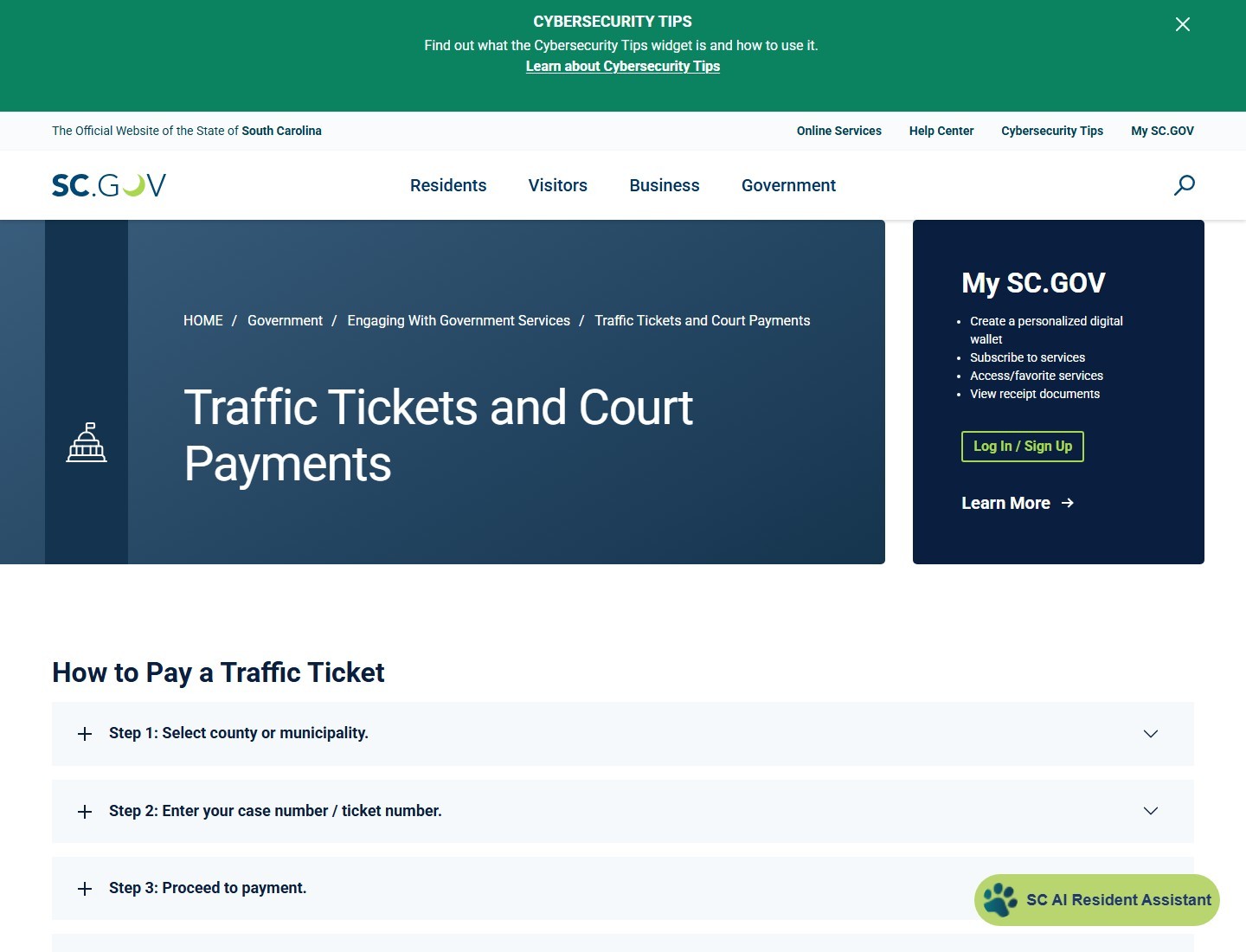
Identify the South Carolina court on your ticket
Start with the court name, location and appearance information printed on the citation. The officer's agency tells you who issued it; the court tells you where to respond. A search for the county where you were stopped can find useful information, but it can also lead to a different court or payment service. Copy the forum exactly before entering a name, ticket number or payment details.
Magistrate court or municipal court
The South Carolina Judicial Branch describes magistrates as serving the county for which they are appointed. Municipal courts handle qualifying matters within a municipality. Both can appear in traffic-ticket searches. A county can contain several city courts, and arrangements between local governments mean that the agency's name alone does not settle where a case is handled.
For example, searching a county Public Index is a sensible first check when that county's magistrate court is named on your paper. If the paper instead directs you to a named city municipal court, follow that city's official court page. Do not change the intended recipient merely because a county payment button is easier to find. The practical test is whether the online court name matches the one on your citation.
Police-issued tickets and camera notices are different
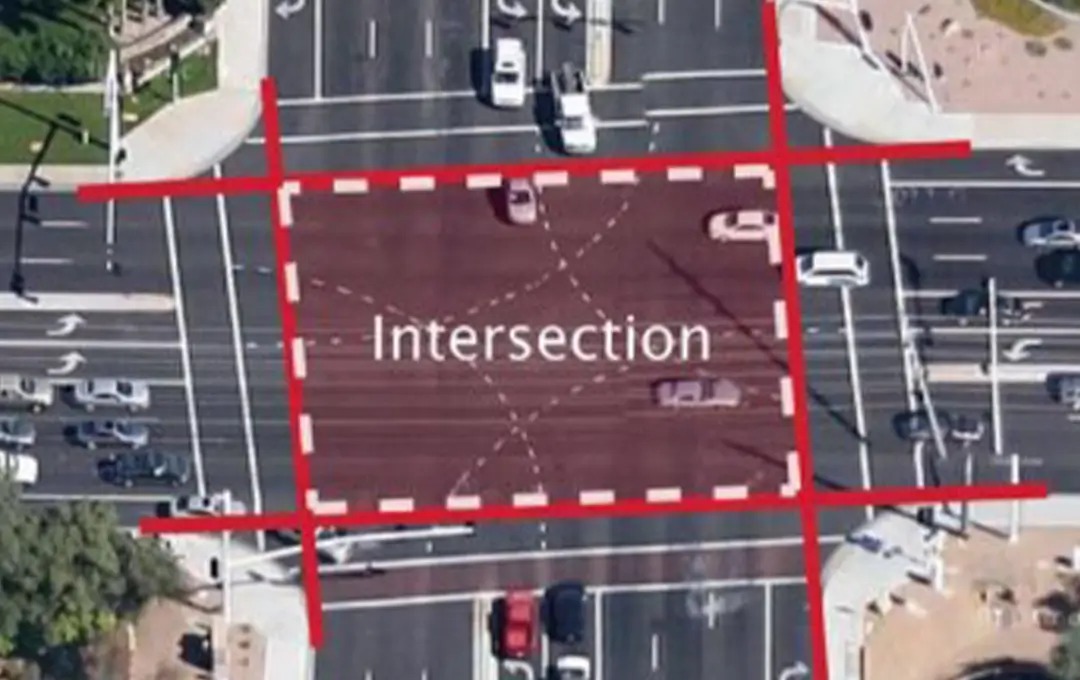
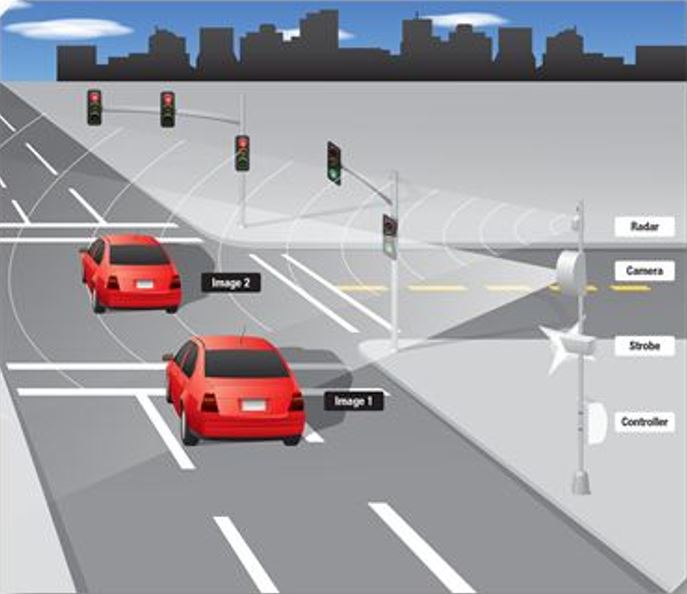
South Carolina's traffic-ticket statutes include specific restrictions on photographic speeding enforcement and the manner in which qualifying citations are issued. A roadside camera, a traffic-monitoring feed and a police-issued uniform traffic ticket are therefore different things. A camera's location does not tell you which online bill to pay.
If a mailed notice names another state, use that issuing jurisdiction's instructions even if you live in South Carolina. Our official ticket website finder can help identify the appropriate camera-notice route. Keep the South Carolina court-payment workflow for the South Carolina case actually described on your paperwork.
Find the case number before opening a payment page
Read the citation as a set of instructions rather than a photograph of an amount due. Set aside the case or ticket number, the defendant's name, issuing court, alleged offense and scheduled appearance. A license plate, driver's license number, officer identification number and incident-report number can all appear on official paperwork, but they are not interchangeable search keys.
The state court-payment instructions describe their case number as the ticket number and tell users to omit spaces when entering it. Compare each letter and digit with the paper. A copied space or a mistaken character can make the correct case appear absent. Use the state's linked example citation if you cannot identify the relevant field, rather than experimenting with every number printed on the page.
| Keep together | Why it matters |
|---|---|
| Citation number and defendant's name | Identify the particular case, not merely the vehicle. |
| Court name and appearance details | Determine the correct place and deadline to respond. |
| Offense and issuing agency | Help the clerk distinguish similar records or explain a routing error. |
If the paper ticket is missing
The Department of Public Safety FAQ points people needing a ticket number to the Judicial Branch search. It also directs drivers stopped by a trooper to the relevant Highway Patrol office. Have the approximate stop date and location available when asking for help, but provide sensitive identifiers only through the agency's official channel.
Recovering the paper and checking the deadline are separate tasks. Tell the court if an appearance is approaching while a record remains unavailable. A search failure does not establish that the charge disappeared. If you are trying to recover a camera notice from another jurisdiction instead, use the issuing city in the ticket website finder so that a lost South Carolina traffic citation and a mailed photo notice do not get mixed together.
Search traffic cases through the Judicial Branch
The official South Carolina Traffic Ticket Search provides three entry routes: a citation number; a driver's license number together with its state; or a first name, last name and date of birth. Choose the route for information you actually possess. The interface does not present a general license-plate search, so a plate number alone is not a substitute for the required fields.
Traffic Ticket Search versus county Public Index
The ticket application focuses on Summary Court traffic matters. The Judicial Branch's broader Case Records Search leads to county Public Index records. Use the ticket route when you want to find the citation and its available transaction path; use the county record route when you need the case history or are following a court's direction to inspect its record.
Coverage requires a further check. The Judicial Branch explicitly says that only some municipal traffic records appear in its ticket search and publishes a municipal participation list. A city can lie inside a county without every city case appearing in every county-facing tool. If the named court is missing from the relevant coverage list, open its own official court page or contact its clerk rather than concluding that the citation is invalid.
Match a name to a case, not just a person
A shared surname is not enough to identify a traffic case. Compare the court, citation number, alleged offense and stop date with your paperwork. The ticket application's name route requires a date of birth as well as both names; it is more specific than typing a name into an internet search engine. Keep those details inside the official service instead of posting a screenshot of your full result in a public discussion.
If the case appears to involve you but contains a discrepancy, ask the handling court how to correct or clarify it. A payment website cannot resolve an identity dispute merely by accepting a card. Record which search route you used and which detail did not match, then use that information when speaking with the clerk. This produces a useful question instead of a vague report that the website is wrong.
Pay an eligible ticket through the official court route
Once the court and case match, review the transaction as carefully as the search. The state payment page is a directory and starting point, not a promise that every kind of charge can be resolved in the same checkout. Read the terms on the particular court's service before submitting. If you plan to dispute the allegation, clarify the correct procedure before paying simply to make an online balance disappear.
- Open the court's service from its government page or the SC.GOV court-payment directory.
- Locate the exact citation and read the displayed charge, court and balance.
- Check whether the service accepts that payment and whether the instructions require any separate appearance or action.
- Review the total and any disclosed transaction charge before authorizing payment.
- Save the confirmation, date, case number and receipt after a successful transaction.
Do not assume a third-party payment domain is fraudulent merely because it ends differently from the court's website. Courts may link to service providers. The safer method is to follow the link from the real court page and compare the recipient and case details, instead of trusting an unsolicited text or a sponsored search result. The connection between the court and the payment service matters more than a reassuring business name.
A receipt should also be recoverable after checkout. SC.GOV explains that Wallet-payment receipts are stored in My SC.GOV Documents; other court processors may provide their own receipt route. Keep a local copy regardless. A bank authorization shows that money was requested from your account, while a court receipt connects the transaction to a case. If one exists without the other, investigate before trying again.
For another jurisdiction's photo notice, use our camera-ticket directory to identify its own payment route. Moving between different ticket systems during checkout is a common way to pay the wrong balance or misunderstand what remains outstanding.
Choose a county or municipal payment entry
County names narrow the search, but the court label still controls. SC.GOV separates county entries from municipality entries. That distinction is important in places such as Georgetown and York, where the name can describe both a county and a city. Select the court that appears on the citation, then check its own transaction instructions.
| Area | Official starting point | Routing check |
|---|---|---|
| Clarendon County | County Magistrate contact | Clarendon is absent from the current state county-payment list. Ask the named court to confirm its current payment channel rather than choosing a neighboring county. |
| York County | SC.GOV York county entry | Distinguish the county court from York, Rock Hill, Fort Mill or another named municipal court. |
| Berkeley County | SC.GOV Berkeley county entry | Do not assume every Clerk of Court department accepts a summary-court traffic payment. |
| Georgetown County | SC.GOV Georgetown entry | Confirm whether the notice names the county or Georgetown Municipal Court. |
| Lexington County | Central Traffic Court | Traffic-ticket payment and vehicle-property-tax payment are different transactions. |
The Clarendon exception illustrates why a directory is a starting tool rather than a legal conclusion. Its Sheriff's Office page also carries a traffic-payment link. A missing county entry on one state page does not establish that no online option exists. Use the local court's official contact to reconcile an absent entry or conflicting link.
For a different city or a camera notice outside South Carolina, return to the ticket website finder and match the issuer again. Do not reuse another county's checkout merely because the fields look familiar.
Decide whether payment resolves your required appearance
“If I pay before the court date, do I still have to go?” needs a case-specific answer. Some services accept a bond or a payment while a hearing remains relevant. A payment can therefore change the financial record without removing every instruction on the charging paper. Read the description of the transaction and ask the handling court what attendance or response is still required.
For example, Charleston County's payment terms explain that paying does not excuse a mandatory appearance, and that payment before the assigned trial date does not remove the right to trial. This is why a guide should not automatically call every advance payment either a guilty plea or a dismissal. Identify what the court is accepting and what the court says happens next.
When the court still requires attendance
The Richland County Traffic Court page specifically warns that mandatory attendance remains for certain charges. It also sets a local instruction to make online payments no less than 24 hours before the scheduled court date and time. That is a Richland instruction, not a deadline to copy automatically to every South Carolina city.
Ask the clerk two separate questions: “Can this citation be paid through this service?” and “Does this case still require me to attend or submit anything?” State the citation number and charge when asking. If the answer changes a previous instruction, ask how the court records that change and keep the response with your paperwork. A payment receipt by itself is not the same as a court order changing an appearance.
If you want to contest the case, find out how the relevant court receives that request before the scheduled event. Do not assume that a website search, an email inquiry or a pending card transaction has requested a trial or extended a deadline. Our photo-enforcement response guide explains why the exact notice and forum matter, but a South Carolina officer-issued citation must still follow its own court's instructions.
Fix a missing record or rejected payment
A new paper citation can reach you before its online record is searchable. SC.GOV's payment instructions estimate three to five business days for entry, while the state FAQ describes about a full week. Treat these as practical expectations, not a promise that your own case will appear by a particular hour. A weekend, a wrong court selection and a mistyped number can all produce a similar empty result.
| Problem | Useful next check |
|---|---|
| No matching case | Verify court, citation spelling and local coverage; then ask the court whether entry is pending. |
| Balance differs from the paper | Ask the court to explain the current case amount before selecting a payment. |
| Card authorized, no receipt | Check the official transaction history and contact the processor or court before resubmitting. |
| Deadline is approaching | Contact the court promptly about an accepted alternative; do not wait silently for the website. |
When asking for help, give the court a concise description: citation number if known, named court, date issued, search method and exact error message. An image of the error may help, but conceal card numbers and unrelated identifiers. “The payment page found my case but rejected checkout” is a different issue from “the record never appeared.” The distinction helps staff direct the question to the right person.
Keep your search attempts and official replies, but do not confuse evidence of an attempt with confirmation that the court accepted payment or changed the date. If you suspect the wrong city's portal was used, return to the original citation and rebuild the route. The official ticket website finder is useful for issuer checks; the court itself must settle the particular case status.
Keep payment, court status and DMV records in agreement
Finishing checkout is a useful milestone, but three records can still answer different questions. The receipt records a transaction. The court record describes the case's disposition and any remaining instruction. The driver's record describes licensing consequences. Keep those questions separate when checking that the matter has been handled.
South Carolina's official FAQ routes license-reinstatement questions to SCDMV rather than treating the court-payment website as a complete licensing service. If you already have a suspension notice or another licensing problem, confirm the required documents and fees with the agency. Paying a court balance should not be assumed to remove points, erase a conviction or satisfy a separate reinstatement requirement.
- Save a receipt tied to the correct citation and named court.
- Check whether the case still lists an appearance, unpaid amount or further required submission.
- Ask the court about a mismatch between its record and the receipt, supplying the transaction reference.
- Use SCDMV's own service if the remaining issue is the driving record or license status.
- Retain the final case record with any separate agency confirmation.
This routine is especially useful when you have more than one ticket, have moved since the stop, or are responding from another state. A successful payment for one citation does not identify what happened to another. Organize the records by case number rather than by the day you happened to pay them. When you call, explain which record you want corrected or clarified instead of asking generally whether everything is clear.
For future notices, first identify the issuing agency and ticket type. The site's state camera-law directory and ticket website finder help with that initial distinction. For the current South Carolina citation, a matching court record, a documented transaction and a confirmed next step are the practical evidence that you have followed the correct route.



Loading comments...