Chicago | Parking and photo enforcement
Contest a Chicago Parking or Camera Ticket: Evidence and Hearing Options
Choose a hearing route, prepare useful evidence and respond to the notice you actually received.
Chicago offers written, in-person and virtual ways to dispute municipal parking and camera violations. The effective first step is identifying the charge and procedural stage, then preparing evidence that addresses that specific allegation. This guide explains the official options and the differences between an initial contest, a default petition and judicial review. Procedures below reflect the official information available on November 17, 2026; read your own notice for its dates and instructions.
Start with the ticket and its current notice stage
To contest a Chicago parking or automated camera ticket, first identify the violation, its ticket number and the deadline on the document you have now. Chicago's municipal eHearing service handles parking, compliance, red-light and automated speed matters. An officer-issued moving citation with court instructions may follow a different system. A Chicago address does not make every ticket eligible for this portal.
Municipal Code 9-100-050 distinguishes an initial seven-day parking, standing or compliance response from a 21-day camera-notice response. Later parking notices create a separate stage. The code and the city's general FAQ describe that later parking interval differently; use the dated instructions on your notice and ask the city promptly about any discrepancy. Do not assume that every document gives another 21 days.
A new ticket and a default determination need different responses
A request for an initial hearing asks a judge to consider the charge. A default determination means liability has already been entered after a missed response or appearance; a petition to set that default aside addresses that procedural problem first. Sending another ordinary contest does not establish that the default has been reopened.
Put the ticket, envelope, notice date and any prior confirmation together before choosing an option. If you have several tickets, make a separate line for each ticket number and current status. One notice can contain matters at different practical stages. Decide whether you intend to contest before paying: the official search interface states that payment constitutes final disposition. For finding the correct municipal entry rather than submitting a dispute here, use our ticket finder.
Build an evidence file that answers the alleged violation
A useful contest connects a specific factual point to a document, photograph or recorded event. Start with a short explanation of what you dispute, followed by the evidence supporting it. Separate what you personally observed from what a later photograph shows. A long complaint about enforcement policy can obscure the one fact that matters to your charge.
Make a working copy of every item and keep originals. Give files meaningful names such as ticket number, date and subject. If a document covers several vehicles, mark the relevant entry without hiding necessary context. Read the actual ordinance on the notice: an argument about paid meter time may not answer a prohibited-standing allegation.
Parking evidence should explain the place and time
Chicago recognizes missing or obscured relevant signs and a malfunctioning relevant meter among its parking defenses. To explain a sign issue, consider a wide photograph locating the space and a closer photograph showing the restriction. State when each was taken. A photograph from another block, or from weeks later without explanation, leaves an important gap.
A receipt should be readable enough to compare its time, vehicle information and location with the ticket. Explain any mismatch honestly. For example, a receipt beginning after the alleged event does not by itself establish that parking was paid at the event time. Likewise, payment for a meter does not automatically permit parking during a separate posted restriction. These are reasons to organize the proof, not predictions of how a judge will decide.
Camera evidence should explain the recorded event
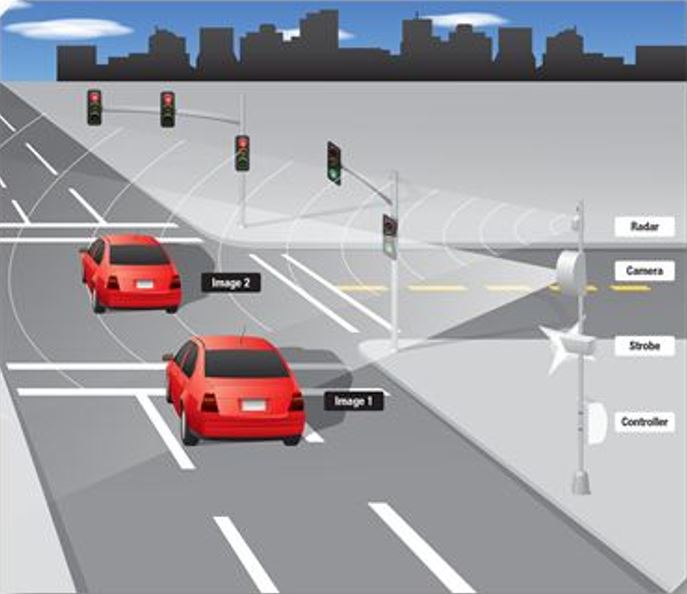
Use the violation video and photo route linked from Chicago's official parking page. Compare the plate, vehicle, approach, timestamp and sequence against the notice. Explain which frame or moment supports your point; a cropped still may omit what happened just before it. If the media will not load, record the error and ask the city for assistance rather than assuming that missing access means the ticket is invalid.
Our camera map can provide geographic context. It cannot establish the color of your signal, your speed or ownership at the particular event. Keep those separate from general location research.
Check the specific grounds for a camera-ticket defense
Chicago's camera-defense provision separates speed and red-light cases. Relevant grounds include inconsistent allegations, qualifying ownership or lease circumstances, and reported theft before recovery. A friend borrowing your car is not the same as proving that you were not its registered owner or lessee at the event time.
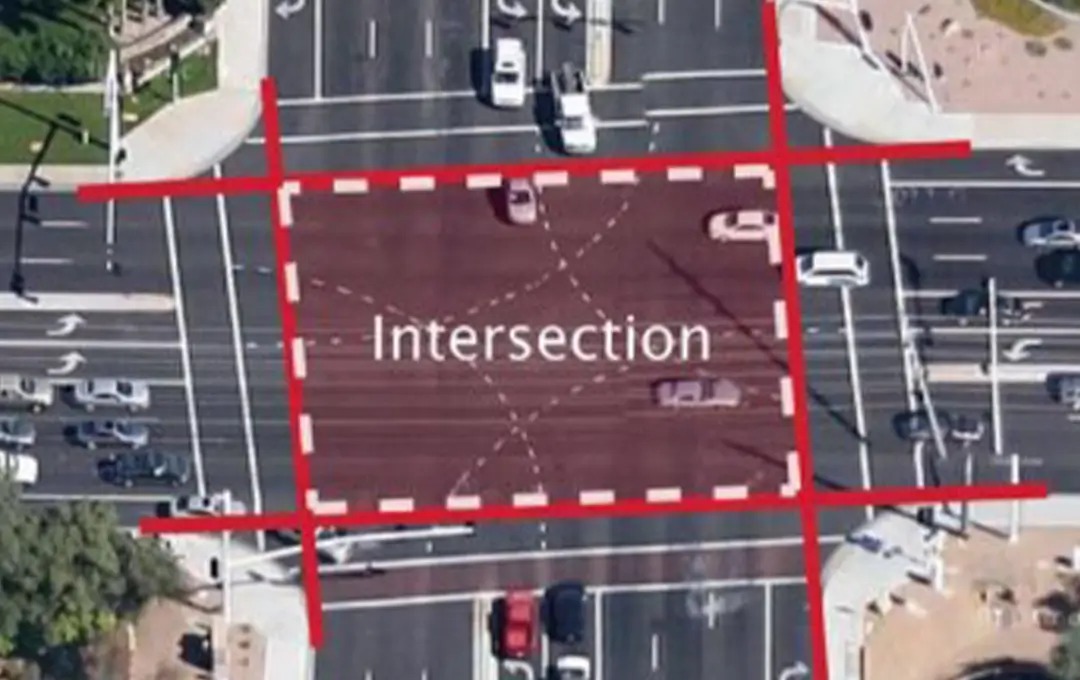
Red-light cases also recognize specified emergency-vehicle and funeral-procession circumstances, and a qualifying officer-issued citation. For automated speed cases, the duplicate speeding-citation ground has a precise geographic and time condition: within one-eighth mile and 15 minutes of the recorded violation. A completely unrelated citation is therefore not interchangeable evidence.
Match the document to the point you want it to prove. A dated sale record could help explain why ownership information is disputed; a theft report should establish the relevant period, not merely that a report exists. If you rely on an officer's citation, include a readable copy and explain its relationship to this particular camera event. Do not invent an emergency or alter a document to fit a listed category.
Also distinguish the equipment from the alleged offense. A camera-generated parking notice does not become a red-light charge because a photograph is involved. Read the ordinance number and the listed grounds for that notice. Our camera identifier explains equipment types, while the charge determines which legal issue needs an answer. None of these categories guarantees dismissal; the judge still considers whether the evidence establishes the applicable defense.
Submit an online written contest carefully
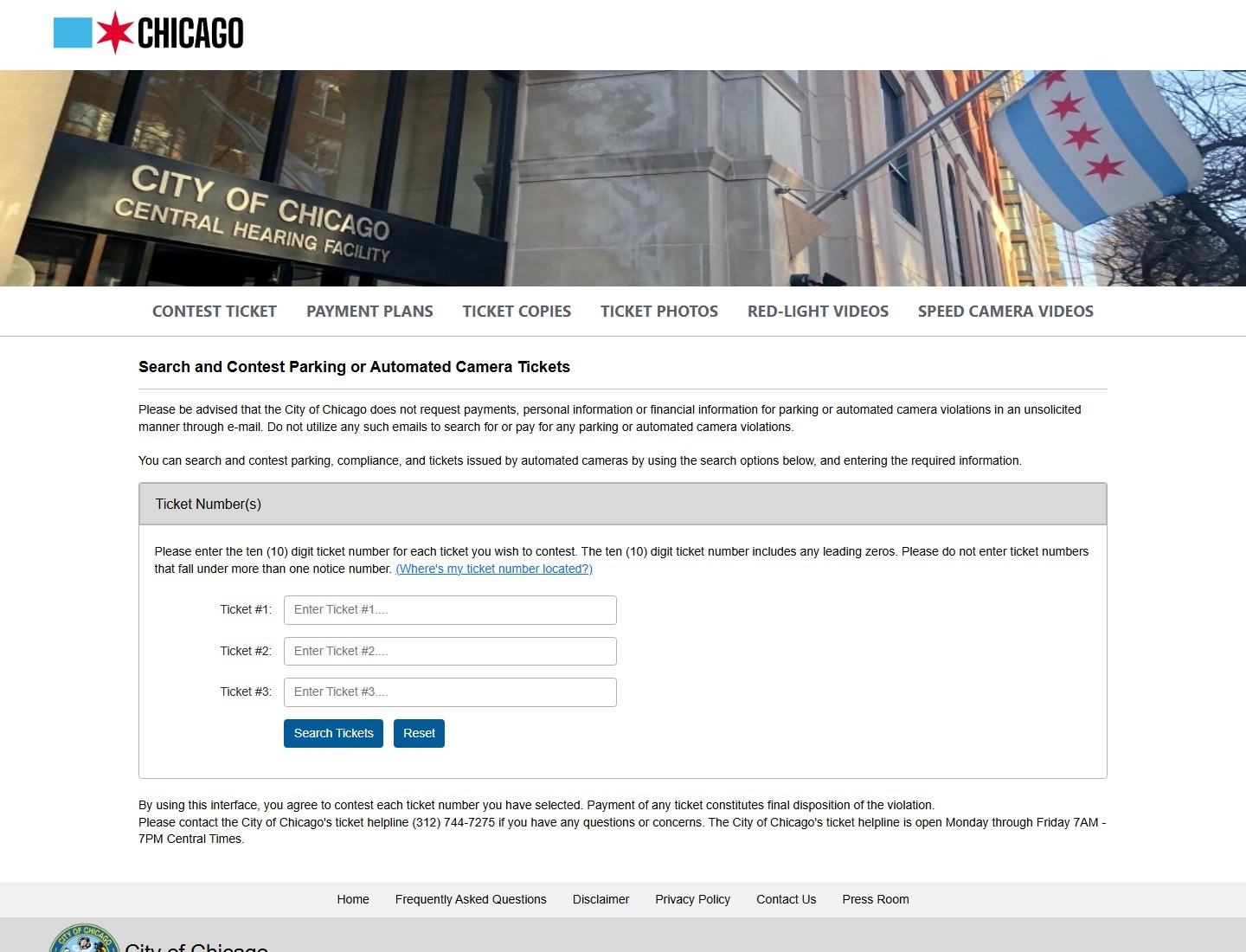
Open the official eHearing entry from Chicago's own site. The public screen asks for ten-digit ticket numbers, including leading zeros. It allows up to three tickets under the same notice number; do not combine unrelated notices into one submission. Confirm the numbers against your paperwork before proceeding.
Select the method you actually intend. A correspondence hearing is a decision on the submitted materials; requesting a live hearing is a different choice. Under 9-100-070, the written package includes identifying/contact information, vehicle details, the notice, supporting documents and a signed statement explaining the defense. Follow the form's current required fields rather than treating an uploaded photograph as a complete explanation.
Prepare readable files before you open the form
The published upload limit is five files per ticket, each no larger than one megabyte; the instructions discuss PDF, JPEG and PNG preparation. Check size and legibility together. A tiny image that hides the receipt time is less useful than a carefully scanned document. Keep a clean original and make a separate upload copy; verify that compression has not removed a critical detail.
Open each prepared file yourself. Check page orientation, whether all pages are included, and whether the evidence belongs to the selected ticket. If combining several related pages into one permitted document, use a short first-page explanation so their relationship is clear. Do not assume that an external cloud-storage link substitutes for an uploaded file.
Verify the displayed upload list and save the final confirmation and submitted package. Receipt of a request establishes submission, not success on the merits. For mailed correspondence, use the current address on your notice, retain copies and preserve postmark evidence; the code distinguishes timely mailing from timely electronic delivery.
Request and attend an in-person hearing
An in-person hearing gives you an opportunity to present the dispute orally and answer questions. Request it through the method stated on your notice, then read the scheduling correspondence. Do not assume that filing a request authorizes you to appear at any building on any date. Chicago sends written instructions identifying the available hearing location and time.
The city's hearing-location information lists facilities including 400 West Superior Street, 4445 North Pulaski Road and 2006 East 95th Street. Your actual hearing notice should determine where you go. A payment counter, a general county courthouse and a municipal hearing room serve different functions; verify the destination before arranging transport or time off work.
Bring the notice, your organized evidence and a short outline of the factual issue. For example, begin with the alleged location and time, identify the fact you dispute, and show the document supporting it. Avoid reading every unrelated email into the record. If the judge asks about an apparent contradiction, answer it directly rather than simply repeating your initial statement.
9-100-080 uses a preponderance-of-the-evidence standard and gives a properly issued notice evidentiary weight. This is why the absence of a live ticket writer does not, by itself, mean automatic dismissal. Prepare to address the recorded allegation. If you need an accommodation, interpretation assistance or a change to the scheduled appearance, contact the hearing office early using the notice's instructions and retain the response. An unanswered request is not an approved rescheduling.
Prepare for a virtual hearing on Webex
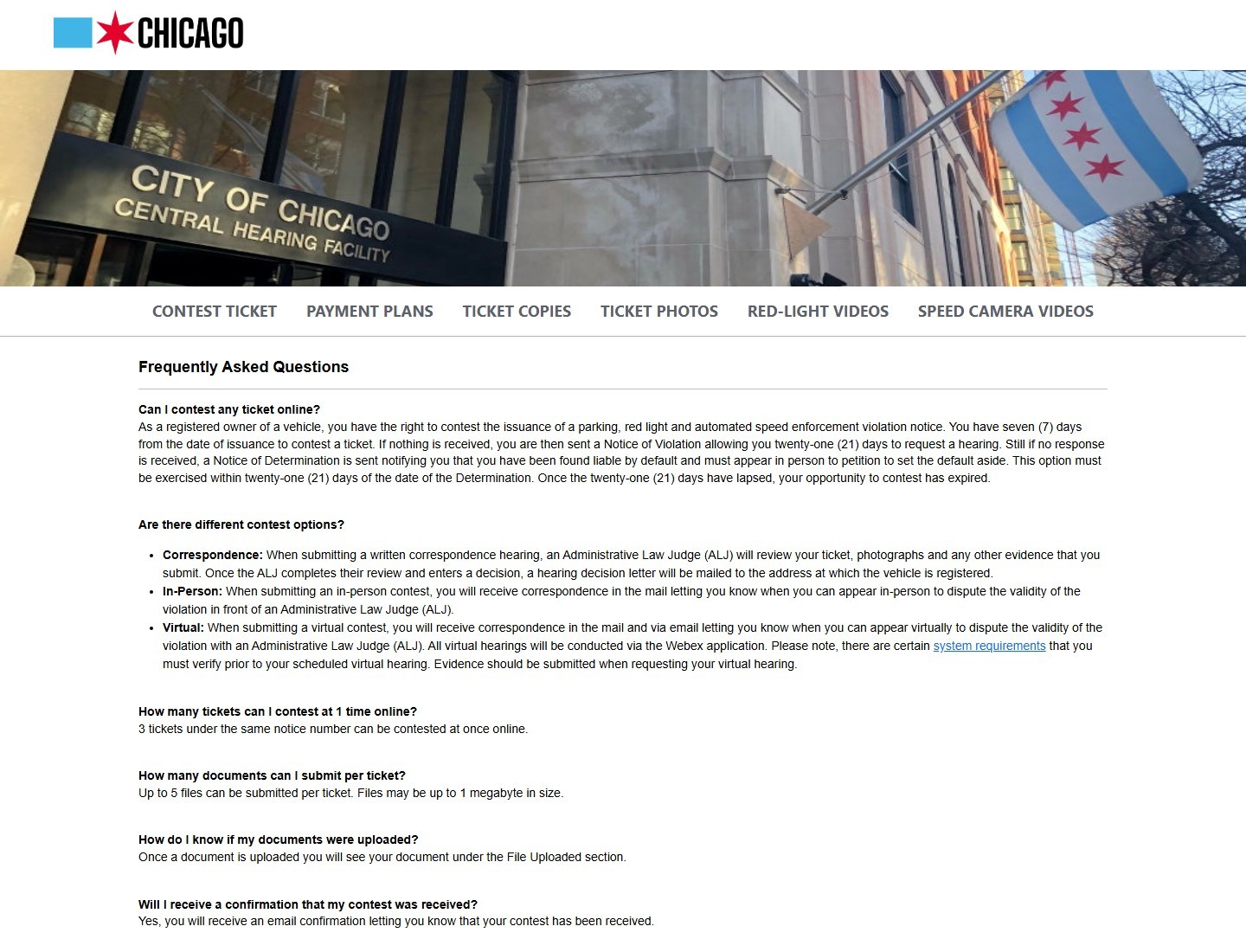
Chicago offers a virtual appearance through Webex, with scheduling information sent by mail and email. Submit evidence when requesting this method. The city's published instructions call for testing Webex at least 48 hours before the hearing. A virtual appearance is a live scheduled proceeding; merely uploading documents does not replace attendance.
Use the device and connection you intend to use on the day. Test the microphone, speaker and camera, and check that the browser or application has the needed permissions. Keep a charger nearby. A quiet location makes it easier to hear questions and explain a document without interruption. Plan enough time to remain available; a hearing queue is not necessarily an immediate connection to a judge.
The official virtual-hearing queue is an attendance tool that searches scheduled ticket information. It is separate from the initial eHearing request screen. Follow the link and instructions in your genuine scheduling notice, and have your ticket number ready. Do not post the meeting invitation, access details or documents in a public forum when asking for technical help.
Keep your submitted evidence open or printed in the same order as your explanation. If asked about a receipt, you should be able to identify its date and relevant line quickly. If the connection fails, preserve the error and time, contact the hearing office immediately and ask what to do next. Do not assume an interruption automatically cancels the proceeding or excuses a missed appearance. Save the office's instructions alongside the original scheduling notice so the record shows what you attempted.
Understand the decision and any remaining review route
Read the written determination for each ticket. A no-liability decision resolves that charge in your favor; retain it and verify the corresponding account record. A liability decision following consideration of the evidence is different from an administrative default. The code treats a merits determination as final for judicial-review purposes, so repeatedly submitting the same online argument is not a substitute for the proper next step.
Chicago identifies the Circuit Court of Cook County as the judicial-review route. 735 ILCS 5/3-103 generally requires a complaint and issuance of summons within 35 days after service of the decision being reviewed. This is a court process with filing requirements, not another eHearing upload. Obtain the actual decision and seek prompt legal guidance about its service date, reviewability and applicable deadline; do not calculate a fresh period from a later reminder.
A missed hearing is different from losing on the evidence
9-100-090 provides an in-person petition route within 21 days of a qualifying default determination, at the location specified in that determination. Its grounds are limited: qualifying ownership issues, prior payment or good cause for the missed appearance. It separately permits setting aside a determination at any time when lack of proper service is established. That exception requires proof; simply saying that a notice was overlooked does not establish it.
Prepare the default explanation and its evidence separately from the underlying parking or camera defense. If the default is reopened, you still need to address the charge. If it is not, read the resulting order for the next available route. Our separate guide to Chicago final-determination notices explains why later collection paperwork should not be mistaken for a new initial hearing invitation.
Resolve submission problems without losing your paper trail
If a ticket cannot be found, compare all ten digits, including leading zeros, with the actual document. Check that you are using the contest interface rather than the virtual attendance queue or an unrelated county payment service. A search error alone establishes neither dismissal nor timely filing. Save the error text and time, then use the contact information on the official notice.
The municipal ticket helpline is 312-744-7275. Have the ticket and notice ready, explain the stage and ask a precise question: whether a request was received, how to obtain missing media, or which accepted submission method remains available before the printed deadline. Record the response. Do not assume that a telephone inquiry itself files a contest or extends time.
If the expected email confirmation does not arrive, check spam and your saved submission screen. Ask the city to verify receipt instead of submitting different stories through several channels. Keep a simple chronology: notice received, request submitted, evidence uploaded, confirmation received, hearing scheduled and decision issued. That record helps distinguish a technical failure from a missed procedural step and makes follow-up more focused.
Navigate directly through Chicago's official page when an unsolicited message demands money or documents. The real eHearing interface warns about such emails; a threatening message should not determine where you submit personal records. Finally, if the issue is affordability rather than whether the violation occurred, review the separate Chicago payment-plan and relief guide. A plan addresses payment under its terms. It does not prove a factual defense or replace a hearing request you still intend to make.



Loading comments...